A mascot for your app, with a reason to exist. Every pose drawn, every move ready for Xcode and the web.
See it first.
Every mascot comes with its film: it lives inside an iPhone app and a Mac app and does every move, before you add a line of code.
Not cute. Meant.
A mascot is your app’s promise with a face. So it starts with what your app stands for, and every shape has a reason.
- 1
Tell it what it stands for.
Four quick questions, written for your app.
- Money that grows
- Calm about money
- A coach that pushes
- Friend who cheers
- 2
It designs the meaning.
One idea, one signature feature, a shape you can read at 64 pixels.
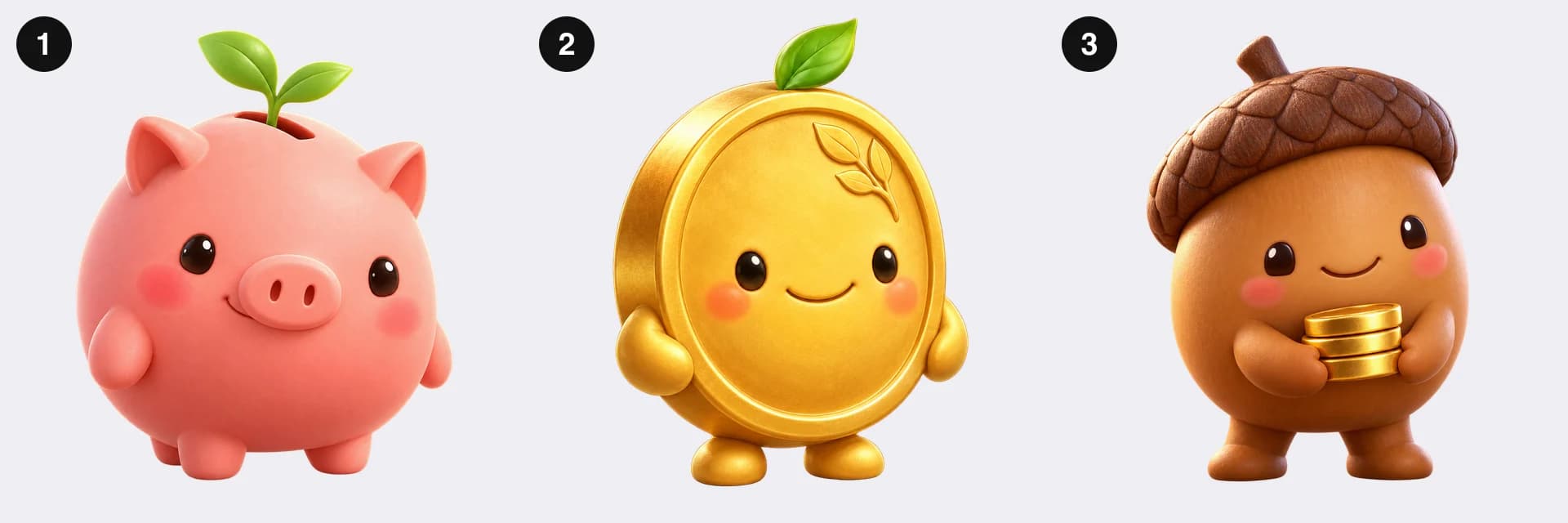
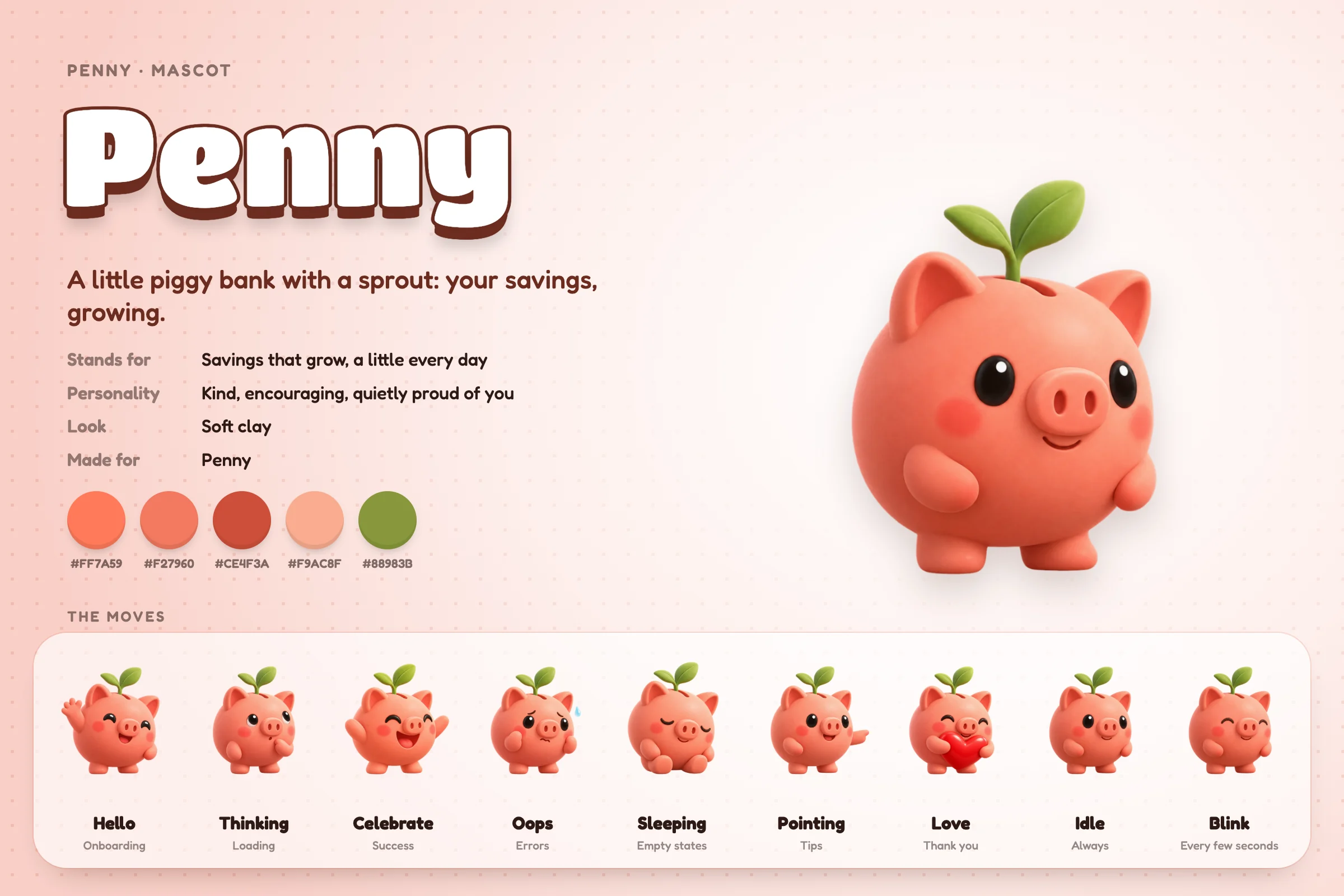
“Penny is a piggy bank with a sprout growing from its coin slot: your savings, growing.”
- 3
Pick from three.
Three different ideas for the same meaning. Then it draws every pose of the one you pick.
Every move, mastered.
Anticipation before every jump, squash and stretch, blinks on their own clock, confetti in its own colours. Tuned once, the same in SwiftUI and on the web. Tap a move.
For: Onboarding
// SwiftUI, iOS 17+ and macOS 14+
PennyView(move: .hello)

<!-- the web -->
<mascot-view src="/penny" state="hello">
Six looks.
Chosen from who your app is for and how it feels: kind and premium, cosy, loud, cool, graphic or cheeky.
Soft clay
Warm, premium, Pixar-short polish.
Plush
Cosy and tactile. You'd want to hug it.
Fuzzy
Lovable, cheeky, a bit chaotic.
Designer toy
Cool and collectible, made with attitude.
Flat line
Graphic and confident, next to big type.
Retro sticker
Playful, nostalgic, a little rebellious.
No OpenAI account? Start from 20.
Twenty finished mascots, one for each common kind of app, every pose drawn. The skill picks the one that means the most for yours, renames it, and recolours it to your brand.
Drop · Hydration Penny · Savings Nimbus · Cloud & sync Byte · AI helper Mochi · Calm Shelly · Security Tick · Time Volt · Energy Luna · Sleep Scout · Travel Pebble · Journaling Sprout · Habits Inky · Writing Hoot · Learning Ember · Streaks Toasty · Food Chatty · Chat Fuzz · Music Bagsy · Shopping Biscuit · Pets

Everything to ship it.
The film
Your mascot in an iPhone app and a Mac app, every move, 1080p.
The character sheet
Name, meaning, palette, every pose: one poster for the team.
Xcode, ready
An asset catalog at @1x, @2x and @3x, and a SwiftUI view with every move. iOS 17+, macOS 14+.
The web, ready
One script and a folder: <mascot-view> with the same moves, to the frame.
Every pose as PNG
Nine poses at 1024 pixels, transparent, for anything else.
Where each move goes
Onboarding, empty states, waits, wins, errors, tips, thank you: the guide.
Give your app someone to love.
- 1Get it free. It downloads at once.
- 2Open a terminal in the folder, type
claude
, thenhi
. It installs itself. - 3Type
make a mascot for my app
, in your app’s folder.
Free. Needs Claude Code and Node.js 18+, on a Mac, Windows or Linux. A one-of-a-kind mascot is drawn with your own OpenAI account (an API key, or ChatGPT through Codex), about 12 images. Without one, start from the 20 ready-made.